Monitor installations and remove unwanted programs thoroughly using detailed system snapshots and change tracking
Monitor installations and remove unwanted programs thoroughly using detailed system snapshots and change tracking
Vote (78 votes)
Program license Trial version
Developer Gavrila Martau
Version 7.6.1
Works under Windows
Vote
(78 votes)
Developer
Gavrila Martau
Works under
Windows
Program license
Trial version
Version
7.6.1
Pros
- Thoroughly removes applications and all related files
- Monitors installations for precise uninstallation
- Easy-to-navigate interface with detailed analysis
- Effective at cleaning residual files and registry entries
- Frequent updates and multi-language support
Cons
- Deep scans can take a significant amount of time
- Full effectiveness requires monitoring before installation
- Advanced features may be unnecessary for casual users
Removes stubborn programs and cleans leftover files from your PC
Comprehensive Software Removal Solution
Total Uninstall is an advanced utility designed to thoroughly remove unwanted applications from Windows PCs. It stands out for its ability to track and analyze the installation of each program, ensuring not only that software is removed, but also that related files and registry entries are completely deleted. This helps prevent system slowdowns and keeps the operating system cleaner over time.
Deep Installation Monitoring
Unlike standard Windows uninstallers, Total Uninstall uses a two-step analysis process. Before installing new software, it captures a detailed snapshot of your system. Once installation is complete, it creates a second snapshot and then compares the two. This comparison highlights all modifications, including new, modified, or deleted files and registry entries. By documenting these changes, Total Uninstall enables precise and complete removal of programs—even those that are difficult to remove by conventional means.
Intuitive Interface and Useful Tools
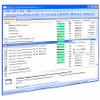
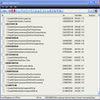
The program’s interface is straightforward, presenting system changes in a tree structure that is easy to understand. The removal process can be customized, allowing users to review and choose which elements to delete. In addition, Total Uninstall features a built-in cleaner that scans for and removes leftover files or registry clutter left by previously uninstalled applications.
Multiple Uninstallation Modes
Total Uninstall provides two primary modes:
Installed Programs, which can analyze software already on your computer, and
Monitored Programs, which tracks new installs for a more detailed uninstallation process later. This dual approach gives users flexibility, whether dealing with existing software or planning ahead for future removals.
System Performance and Efficiency
The in-depth scanning process can be a bit time-consuming, especially on systems with a large number of files or programs. However, this thoroughness is essential for effective clean-up. By eliminating leftover files, Total Uninstall helps maintain system speed and reliability. The program also uses minimal background resources when not in use.
Language Support and Updates
Total Uninstall is frequently updated to support multiple languages and improve analysis algorithms. Regular updates also enhance the cleaner's capabilities and overall compatibility with newly released versions of Windows and modern software.
Pros
- Thoroughly removes applications and all related files
- Monitors installations for precise uninstallation
- Easy-to-navigate interface with detailed analysis
- Effective at cleaning residual files and registry entries
- Frequent updates and multi-language support
Cons
- Deep scans can take a significant amount of time
- Full effectiveness requires monitoring before installation
- Advanced features may be unnecessary for casual users